Shared inbox
One number. Your whole team.
A phone can only be held by one person. A shared inbox lets six people answer without stepping on each other, and keeps a record of who did what.
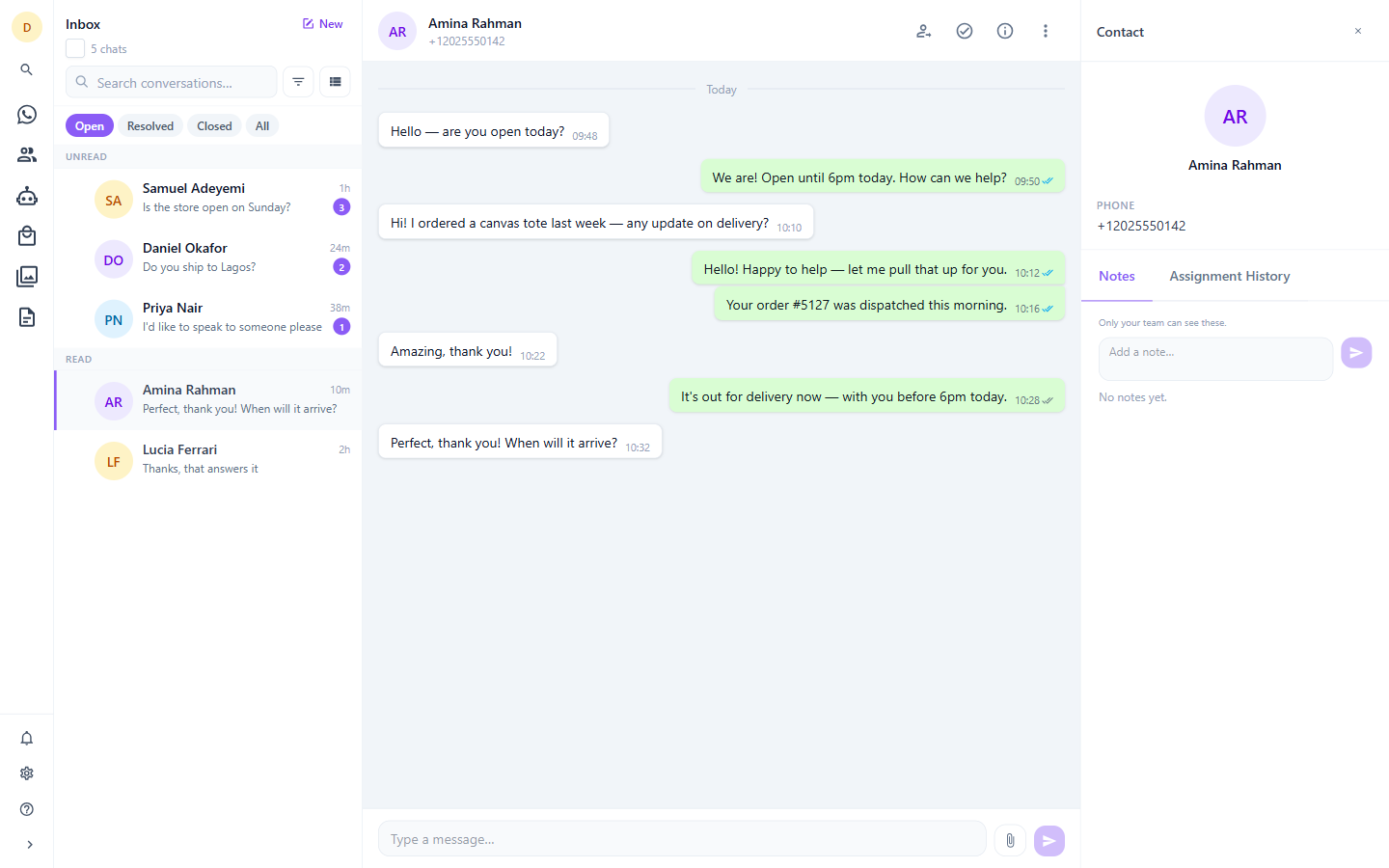
Assignment that leaves a trail
Assign a conversation to an agent or a team. Every transfer is written to an append-only history with who moved it, from whom, to whom and why — manual, self-claimed, accepted from the queue, stepped into, or routed automatically. Names are captured at the moment of the transfer, so the record stays accurate even after someone is renamed or leaves.
Who is driving the conversation
Every chat is explicitly under the control of the bot, a human agent, or waiting for one. The bot never talks over an agent, and an agent never has to wonder whether automation is about to interrupt. Stepping into a bot conversation pauses it immediately.
Notes your customer never sees
Leave a private note on a chat for whoever picks it up next. Notes live beside the conversation but can never enter the send path — they are structurally incapable of reaching the customer.
Quick replies
Save canned responses and drop them into the composer with a slash shortcut. Keep a personal set, or share a library across the whole company.
Saved views
Build named filters over status, assignment, team, agent and search, order them how you like, and switch between them. Views are personal — yours do not clutter anyone else's sidebar.
Every message type, rendered properly
Text, images, video, audio, documents, stickers, locations, interactive buttons and list replies, reactions and orders — all displayed the way they appear on a phone, not approximated.
See it with your own number
Thirty days, every feature, no card required.