Chatbot builder
Build the conversation by drawing it
Automated conversations are a graph — messages connected by the buttons people tap. So you edit them as a graph, on a canvas, seeing the real WhatsApp message at every step.
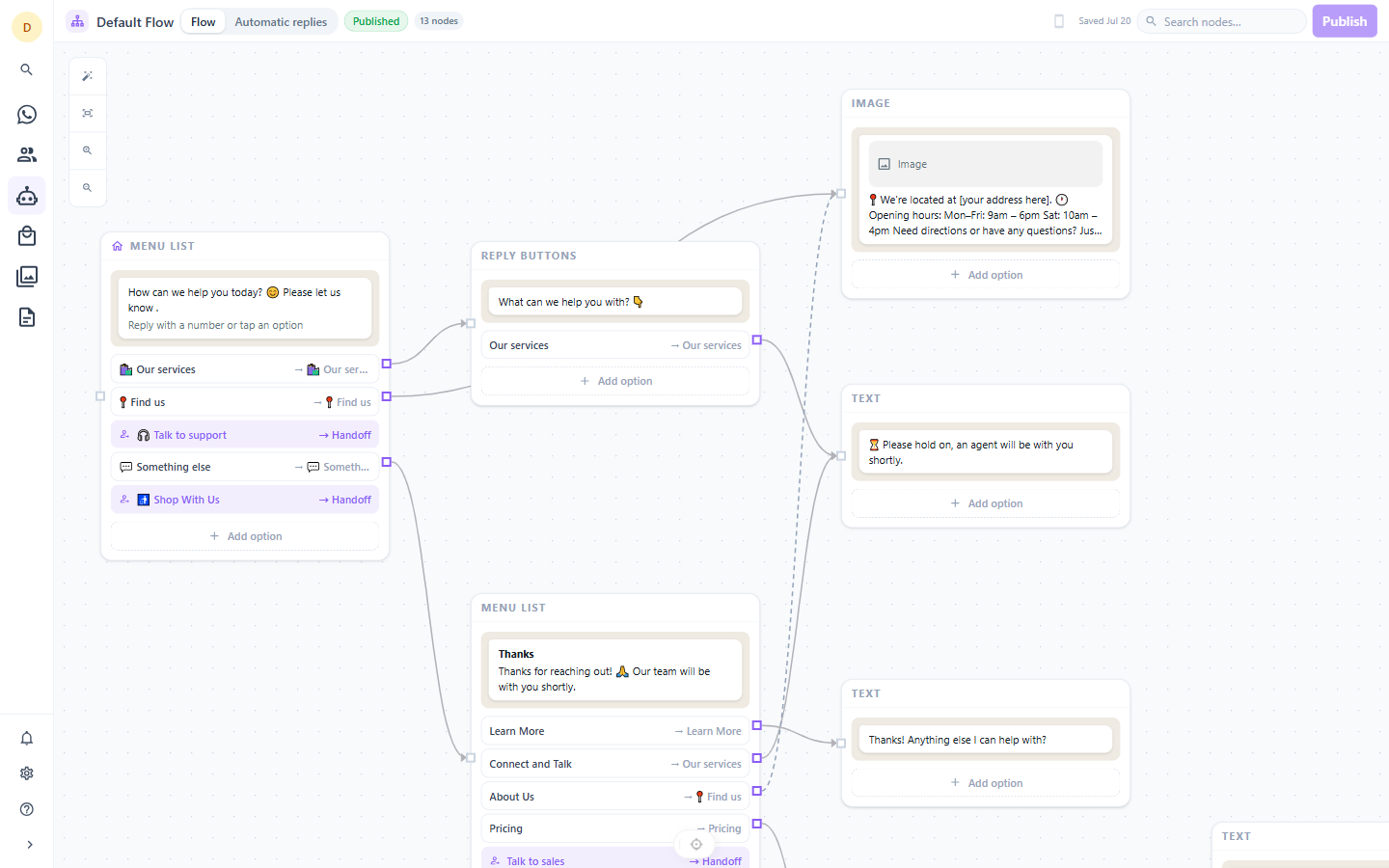
Nodes are real messages
Each node on the canvas holds the exact payload the customer receives. Fifteen message types are supported, including interactive button sets, list menus, media, locations, location requests, catalogs and products — each with an editor built for that specific type rather than a generic form.
Connections are buttons
Draw an edge between two nodes and it becomes a button or list row the customer taps. There is no separate routing configuration to keep in sync with the message content — the connection and the button are the same object.
Nine entry points
Name the node that greets a new contact, the one that acts as your main menu, the fallback for unrecognised input, the off-hours reply, the after-too-many-retries reply, and the messages sent just before a handoff to a queue, a team, or an agent.
Publishing is a snapshot
Publishing freezes the flow into an immutable version, and running conversations stay pinned to the version they started on. You can edit tomorrow's flow without breaking a conversation that is halfway through today's.
Escalation is a first-class edge
Any button can hand off to the shared queue, to a named team, or to a specific agent, with a message sent to the customer immediately before it happens. The flow validates that it hands off somewhere, so customers cannot get stranded in automation.
A forensic record of every run
Every message the bot handles is recorded — the input, the node it came from, the node it went to, which transition matched, and the outcome. When a customer says the bot did the wrong thing, you can see exactly what happened rather than guessing.
See it with your own number
Thirty days, every feature, no card required.